
DKIM is the one record you can't find without knowing its selector — the label that says which key to use. The DKIM lookup handles that for you. Here's how, using mxhelper.com as the example.
Step 1 — Enter a domain and selector
On the DKIM lookup, enter a domain. If you know your selector (for example default, google, or selector1), type it in the second box. Don't know it? Leave it blank and the tool probes around 20 common selectors used by the major providers.

Step 2 — Read your DKIM result
For each selector that resolves, the tool shows:
- 1The selector's status — Active means a valid public key is published (an empty
p=would mean the key is revoked). - 2The public key itself, plus its type and size (a healthy key is RSA 1024-bit or, better, 2048-bit).
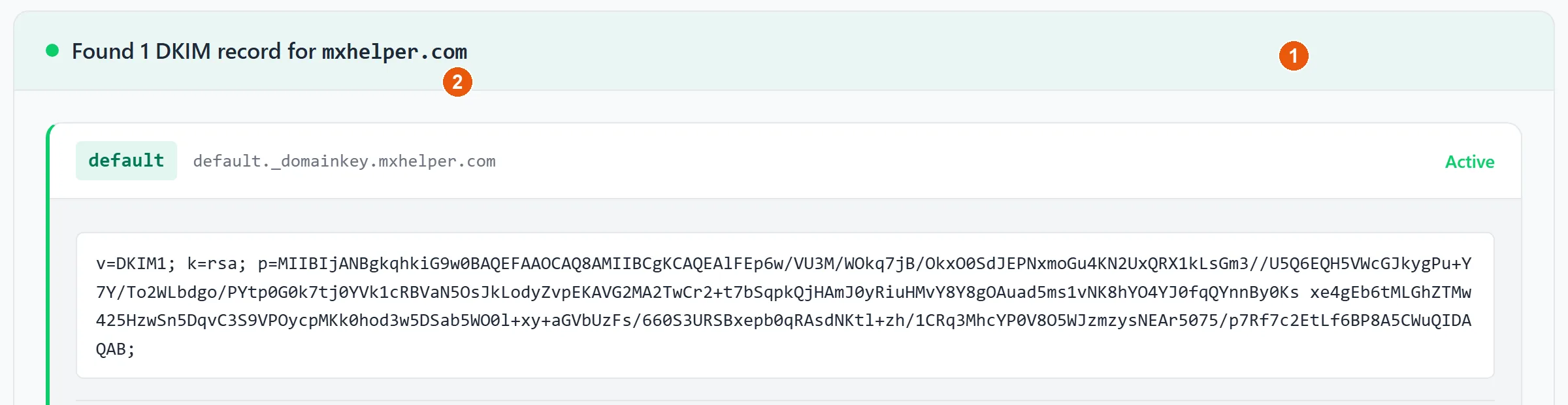
default selector. (click to enlarge)You don't create DKIM keys by hand — your mail provider generates them and gives you the record to publish. To understand what the signature actually proves and how selectors enable key rotation, read DKIM explained.