
The DMARC checker looks up your policy, decodes every tag in plain English, and points out what's missing. Here's how to read it, using example.com as the example.
Step 1 — Enter a domain and check
On the DMARC checker, type a domain and press Check DMARC. It looks up the TXT record at _dmarc.<domain> — the special hostname where DMARC lives.

Step 2 — Read your DMARC result
The result is where the checker earns its keep:
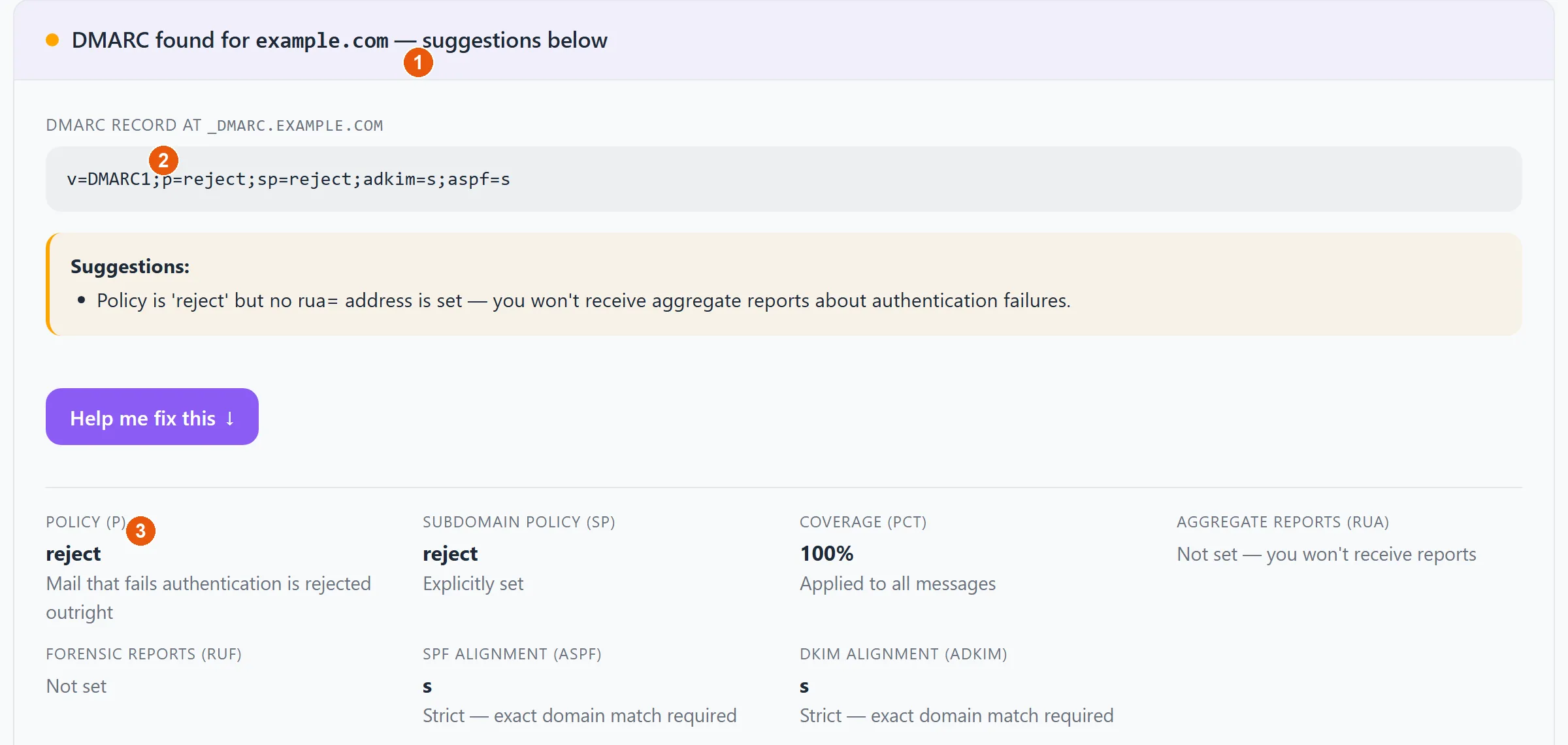
- 1The published DMARC record, with a Suggestions note calling out anything weak or missing (here: a policy of
rejectbut noruareporting address). - 2Help me fix this opens a guided, provider-aware wizard that builds the corrected record and shows where to add it.
- 3A plain-English breakdown of every tag — the policy, subdomain policy, coverage percentage, alignment modes, and where reports go.
Setting DMARC up for the first time? Don't jump straight to an enforced policy — follow the safe, staged rollout in how to set up DMARC.